
Café POS Reconciliation Checklist (2026)
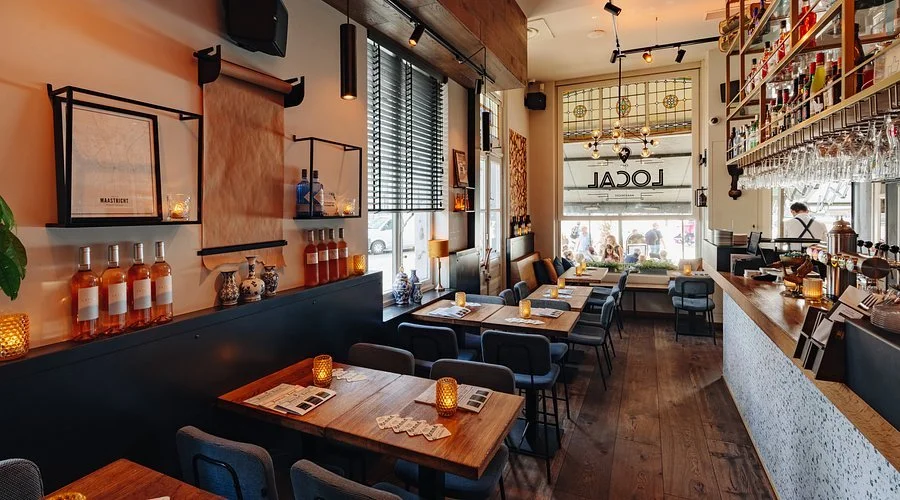
Café POS reconciliation checklist for café owners – Switchboard Finance
 Insights · Café Hub
Café POS Reconciliation Checklist (2026): How to Match Z-Reports, Bank Deposits & Delivery App Payouts So You Don’t Get Stuck in “Pending”
Café files stall for one boring reason: the numbers don’t tie out. A lender might like your business, but if your Z-reports, card settlements and bank credits don’t reconcile cleanly, you can get stuck in “pending” while someone asks for follow-ups.
This guide is the simple reconciliation mechanics lenders use: the three numbers they compare, why they mismatch, and the “Day 0” pack that clears questions before they’re asked. For the broader lane and context, start in the Café Hub and then anchor the base café low-doc lane with Low Doc Loans for Café Owners.
Lenders reconcile three numbers: POS sales (what you sold), merchant settlements (what the terminal/provider paid out), and bank credits (what hit the account). When the gaps aren’t explained, files slow.
If you want the café-specific evidence pack this plugs into, pair it with Café Turnover Proof Pack (2026) and use the submission sequencing from Café Finance “Day 0” Submission Bundle (2026).
| The number | Where it comes from | What it represents | Why lenders care |
|---|---|---|---|
| POS sales (gross) | Z-reports / daily summary | Total sales before settlement timing | Shows revenue reality and trend |
| Merchant settlements (net) | Terminal/processor statements | What the provider actually pays after fees/adjustments | Explains “missing” money vs POS |
| Bank credits | Transaction list / Bank Statements | Deposits received (timing + batching) | Validates cash-in and cashflow pattern |
| Delivery app payouts | Uber/Doordash etc exports | App orders paid out on a lag | Explains 2–14 day payout gaps |
1) The 3 numbers that must reconcile (and the one mistake that breaks everything)
The first mistake is trying to reconcile by “feel.” Lenders don’t. They compare documented totals and look for a clean bridge between them. Your POS report is usually gross sales, while settlements and bank credits are net and time-shifted.
If you’re running delivery apps and you’re seeing payout lags, the reconciliation logic also needs to match the real lag cycle. That’s why this guide pairs naturally with Café Card Settlements + Delivery Apps (2026) and the timeline expectations in Café Finance Approval Timeline (2026). If you don’t explain the bridge, the common consequence is “pending” while an assessor asks for more exports.
Fast reconciliation (the simplest workflow)
- Step 1: pull POS Z-report totals for the same date range (daily/weekly).
- Step 2: pull merchant settlement totals (same range) and identify fees/chargebacks/refunds.
- Step 3: match merchant payouts to bank credits using date-lag logic (batching is normal).
- Step 4: separate delivery app exports and reconcile them to their own payouts (don’t mix with terminal).
A café shows $42k POS sales for a fortnight, but only $38k hits the bank in the same period. If the pack explains $2k in merchant fees + $1.2k in refunds + $0.8k still pending in app payout lag, the file reads clean. Without that bridge, it reads like “missing revenue.”
2) Common mismatch causes (what triggers follow-ups)
Mismatches are normal. What slows approvals is unexplained mismatches. When the lender can’t tell whether the gap is timing, fees, refunds, or something more concerning, they pause and request more detail.
If your bank statements already have patterns that trigger manual review, reconciliation becomes even more important because the assessor is already cautious. Cross-check your statement hygiene against Bank Statement Red Flags for Cafés (2026) and (if your payouts are structured oddly) the risk logic in Café Merchant Facility Risk (2026).
| Mismatch cause | Where it shows up | What it looks like | How to explain it in the pack |
|---|---|---|---|
| Refunds | Merchant statement + POS | Sales recorded, then reversed | List refund total for the period + reason bucket |
| Chargebacks | Merchant statement | Unexpected deductions later | Highlight chargeback entries separately (don’t hide them) |
| Processing fees | Merchant statement | POS gross vs bank net gap | Show total fees as a clear line item |
| Delivery app splits | App export | App commissions + delayed payout | Provide app export + payout schedule notes |
| Batching/timing | Bank credits | Multiple days paid in one deposit | Simple note: “batch payouts; 2–5 day lag typical” |
| Tips / surcharges | POS vs merchant | Totals don’t mirror line-for-line | Include POS settings note + totals bucket |
A lender sees “sales are up” but bank credits look flat. It turns out the café has higher app sales (with longer payout lag) and higher refunds during a menu change. A one-page reconciliation note prevents a week of follow-up emails.
3) The “Day 0” POS reconciliation pack (send this upfront to get approved faster)
The aim of the Day 0 reconciliation pack is to remove the assessor’s most common question: “Why don’t these totals match?” If you answer that before they ask, the file stays moving.
This pack is not a replacement for the main submission bundle—it plugs into it. Build your full submission using Café Finance “Day 0” Submission Bundle (2026), then add this reconciliation page as the explanatory overlay. If you’re also trying to avoid timing surprises after approval, sanity-check the “approved → funded” lag via Café Finance Settlement Delays (2026).
Day 0 POS reconciliation pack (4 items)
- 1) POS Z-report summary: totals by day/week for the chosen date range.
- 2) Merchant settlement export: payouts + fees + refunds + chargebacks for the same range.
- 3) Bank credit highlight: mark the matching payout deposits on your bank statement (simple notes are fine).
- 4) Delivery app export: order totals + commissions + payout dates (so lag is visible and normal).
A café applying for a facility gets “pending” because the lender can’t reconcile POS revenue to bank credits. The owner resubmits with a one-page reconciliation overlay: fees, refunds, and app payout lag explained. The follow-up loop stops, and the file moves to the next stage.
Café approvals often stall when POS sales, merchant settlements and bank credits don’t reconcile cleanly. The fix is not “more documents”—it’s a simple bridge that explains fees, refunds/chargebacks, batching, and delivery app payout lag.
Start in the Café Hub, build the file using the Day 0 Submission Bundle, and add a reconciliation overlay that matches your payouts to your Bank Statements. If you skip the reconciliation bridge, the usual consequence is “pending” delays, extra follow-ups, and sometimes smaller limits once assessors apply more conservative assumptions.
FAQs
Quick answers for cafés reconciling POS Z-reports, merchant settlements, delivery apps and bank credits in 2026.

 Accredited Member
Newest café guides
Accredited Member
Newest café guides
Newest in the Café Hub
Four fresh, lender-practical reads for café owners — built around vehicle finance, local checklist prep, cashflow pressure and approval cleanup.
Café Owner Car Finance Through the Business (2026)
Chattel mortgage vs lease when venue income drives the file — and what lenders check on café statements.
Western Melbourne Café Finance Checklist (2026)
A local proof-pack checklist for café owners in Footscray, Sunshine and Werribee.
Café Staff Departure Cashflow Gap (2026)
How to cover recruitment costs, agency labour and the short revenue dip when a key team member leaves.
Café Finance Conditional Approval (2026)
What “approved subject to conditions” means for fitout, equipment and line-of-credit deals — and how to clear it fast.
Newest café guides
Newest in the Café Hub
Four fresh, lender-practical reads for café owners — built around vehicle finance, local checklist prep, cashflow pressure and approval cleanup.
Café Owner Car Finance Through the Business (2026)
Chattel mortgage vs lease when venue income drives the file — and what lenders check on café statements.
Western Melbourne Café Finance Checklist (2026)
A local proof-pack checklist for café owners in Footscray, Sunshine and Werribee.
Café Staff Departure Cashflow Gap (2026)
How to cover recruitment costs, agency labour and the short revenue dip when a key team member leaves.
Café Finance Conditional Approval (2026)
What “approved subject to conditions” means for fitout, equipment and line-of-credit deals — and how to clear it fast.
